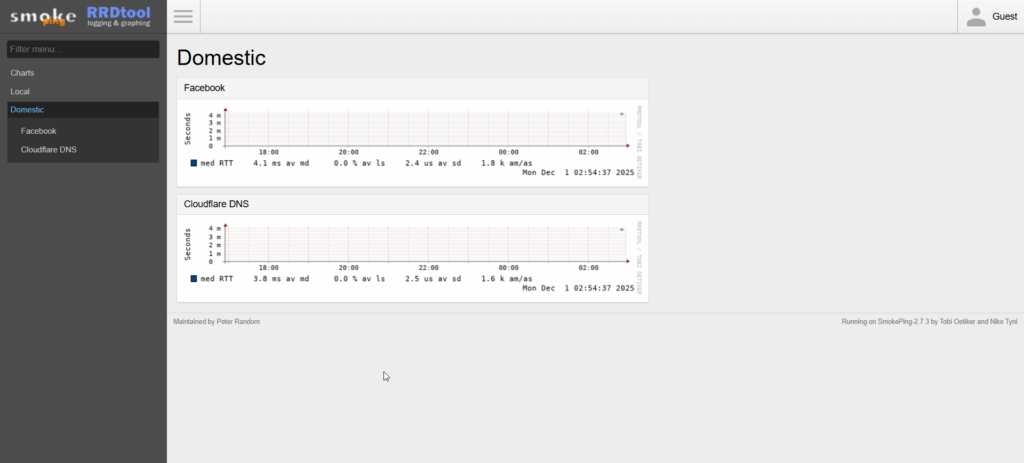
sudo apt updatesudo apt install smokepingCoba buka web smokeping
http://IP-ADDRESS/smokeping/Secara default smokeping melakukan 20 kali ping setiap 300 detik (5 menit), untuk mengubahnya kita bisa edit file /etc/smokeping/config.d/Database
Misal saya ingin mengubah interval ping menjadi 20 ping setiap 20 detik, isi file nya adalah seperti berikut:
*** Database ***

#step     = 300
step     = 20
pings    = 20

# consfn mrhb steps total

AVERAGE  0.5   1  1008
AVERAGE  0.5  12  4320
    MIN  0.5  12  4320
    MAX  0.5  12  4320
AVERAGE  0.5 144   720
    MAX  0.5 144   720
    MIN  0.5 144   720
Karena kita telah melakukan perubahan step/interval maka harus kita hapus data yang tersimpan sebelumnya, karena jika tidak dihapus ketika kita melakukan restart service smokeping akan muncul error.
rm /var/lib/smokeping/Local/*Hapus juga graph lain jika ada
Restart service:
sudo systemctl restart smokepingMenambahkan Target
Untuk menambahkan target edit file nano /etc/smokeping/config.d/Targets
Contoh penambahan Target:
*** Targets ***

probe = FPing

menu = Top
title = Network Latency Grapher
remark = Welcome to the SmokePing website of xxx Company. \
         Here you will learn all about the latency of our network.

+ Local

menu = Local
title = Local Network
#parents = owner:/Test/James location:/

++ LocalMachine

menu = Local Machine
title = This host
host = localhost
#alerts = someloss


# DIBAWAH INI DITAMBAHKAN MANUAL

+ Domestic
menu = Domestic
title = Domestic

++ Domestic1
menu = Facebook
title = Facebook
host = facebook.com
remark = facebook.com

++ Domestic2
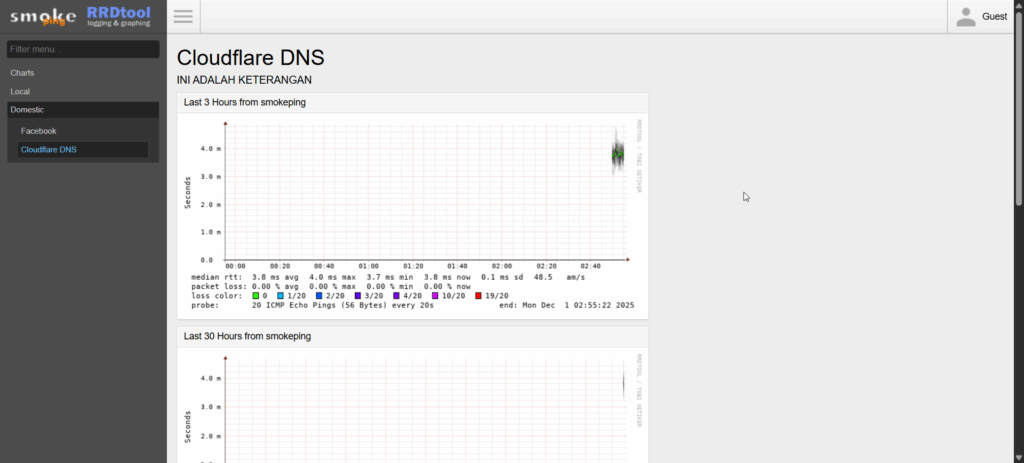
menu = Cloudflare DNS
title = Cloudflare DNS
host = 1.1.1.1
remark = INI ADALAH KETERANGAN
Restart Service:
sudo systemctl restart smokepingContoh tampilan hasil penambahan Target: